The detail your team needs.
Choose which columns to show, including production notes. Keep each display focused on the information that matters to its operator.
FOR THE PEOPLE BEHIND THE SERVICE
The plan. The people. The next cue.
One clear view for the whole production team.
A live production workspace by Welland Collective
Less looking for the next detail.
More being present for the moment.
From the production desk to the stage, give every team a clear view of the service.
Explore an example above. Your service stays at the center.
02 / EVERY SECOND IN VIEW
Keep the time of day, the current item, and the next cue together. Give the room a clear countdown without losing sight of the service.
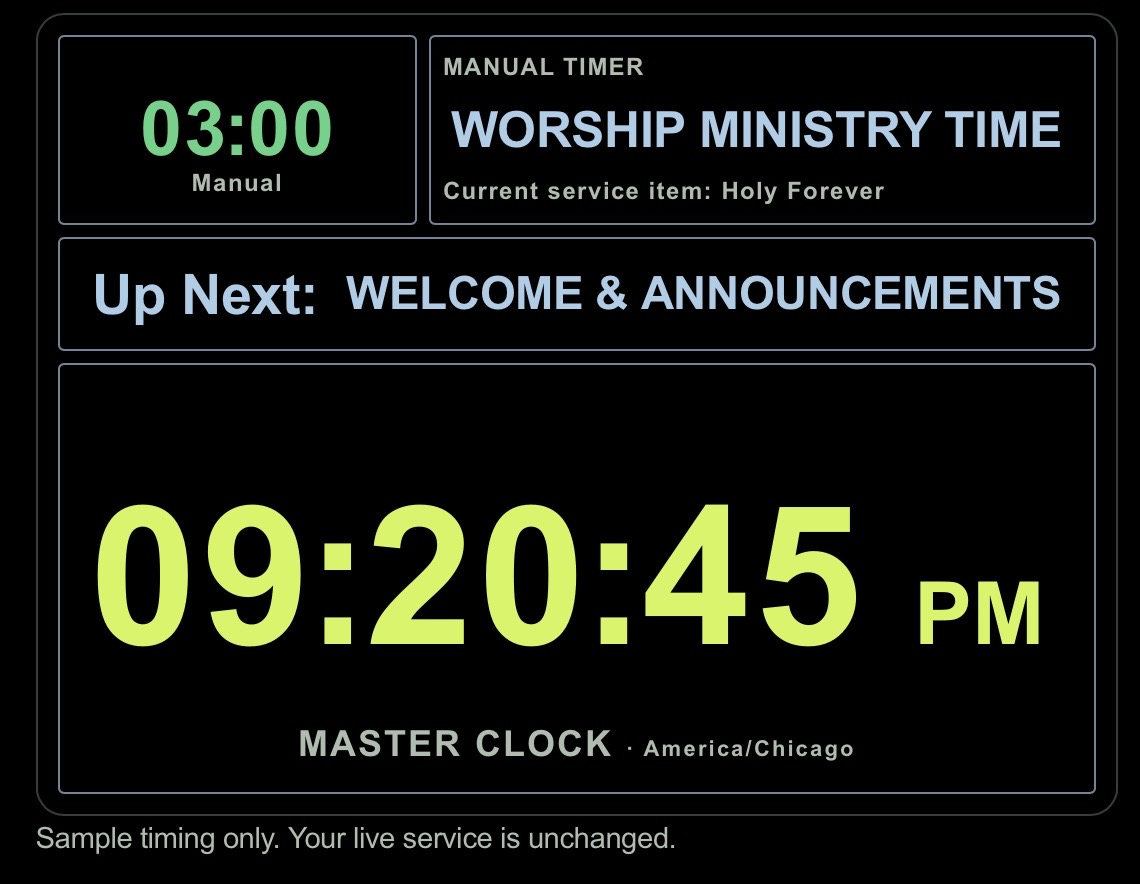
THE MASTER CLOCK
A large time-of-day clock anchors the display. Above it, the timer and its label sit alongside the current service item, with a full-width Up Next cue underneath.
03 / THE WHOLE SERVICE, AT A GLANCE
See the complete service order with scheduled times, durations, people, microphones, keys, and production notes. The live highlight shows where you are in the plan.
| Start | Duration | Item | Person | Mic | Key | Production notes |
|---|---|---|---|---|---|---|
| 10:30 | 02:00 | 01 Welcome | Alex | HH 2 | — | Open on stage wide |
| 10:32 | 05:00 | LIVE Open the Heavens | Jordan | HH 1 | D | Worship look · Lyrics ready |
| 10:37 | 03:00 | NEXT Announcements | Alex | HH 2 | — | Announcement graphics |
| 10:40 | 20:00 | 04 Message | Sam | Headset | — | Message slides ready |
| 11:00 | 05:00 | 05 Response | Jordan | HH 1 | D | Return to worship look |
| TOTAL RUNSHEET TIME 35:00 | ||||||
Choose which columns to show, including production notes. Keep each display focused on the information that matters to its operator.
Use larger text, fit the complete Runsheet to the screen, and select the service time you want to follow.
See the current item highlighted in the plan. Scheduled clock times stay visible alongside the live service position.
BUILT FOR THE FLOW OF A LIVE SERVICE
Bring service plans from Planning Center into a workspace designed around the live moment. Keep the order, people, and cues close at hand.
PLANNING CENTER SERVICESFollow current and next items, see featured people and microphones, and keep an eye on service timing from the producer desk.
CURRENT + NEXT + CLOCKSGive stage teams and remote operators a focused view with paired displays and controllers. Make the next cue easier to see across the room.
DISPLAYS + REMOTE CONTROL04 / FROM THE DESK TO THE STAGE
A detailed view for the producer. A simple view for the stage. Service Producer brings the information that matters to the people who need it.
A CLEAR PATH TO THE FIRST CUE
Authorize your organization’s Planning Center Services connection.
Prepare the event, choose your views, and pair the screens your team needs.
Open the producer desk and keep current, next, and timing in view.
NOW TAKING EARLY ACCESS REQUESTS
We’re preparing Service Producer for organizations and production teams. Tell us about your team to request early access.
Sign up for early access Opens an email to our team. Subscription plans will be announced later.PART OF THE WELLAND FAMILY
Service Producer is a Welland Collective product, joining a growing family of software for churches, organizations, and creative teams.
Explore Welland CollectiveA FEW THINGS TO KNOW
The dedicated app address is live.serviceproducer.app. The public website here introduces the product. Organization access and production onboarding are being prepared; request early access for availability.
Service Producer is being built with a dedicated Planning Center Services connection so each organization can authorize access to its own service plans. It is an independent Welland Collective product and is not affiliated with or endorsed by Planning Center.
Service Producer will be part of the Welland product family. Subscription pricing and Welland Cloud billing details will be announced as organization onboarding becomes available.